Distance Sensor
Introdution
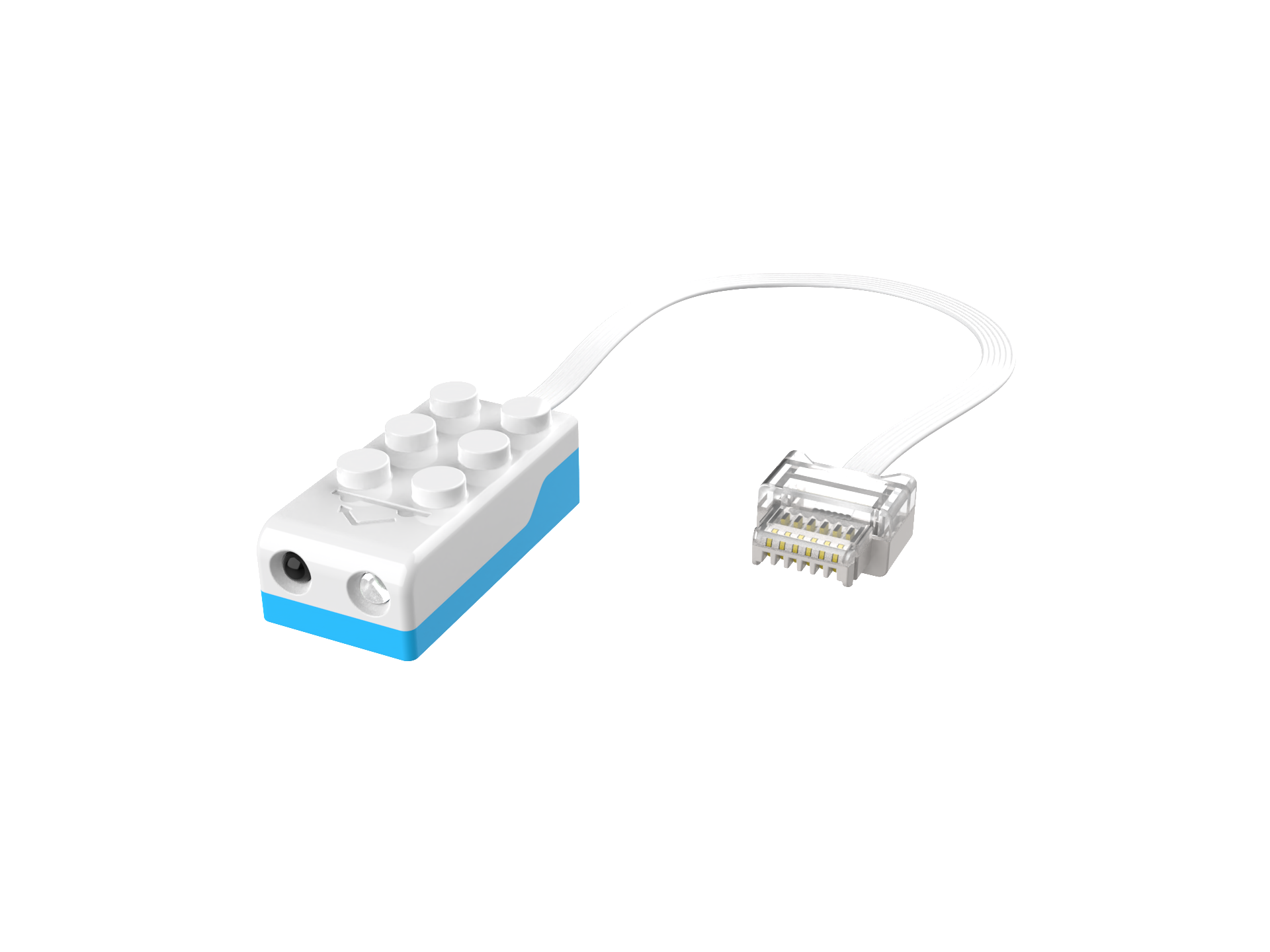
The distance sensor features one infrared emitting diode and one infrared receiving diode. The infrared emitting diode sends out infrared rays, and when these rays hit an object in front, some of the infrared light is reflected back. The infrared receiving diode detects the amount of reflected infrared light to determine the distance to the object and the brightness of the object’s color. This sensor can be used to detect the distance to obstacles, and when combined with a black-and-white distinction setup, it can achieve line-following functionality. The detection range of the distance sensor is 0 to 120 mm (under indoor lighting conditions without direct sunlight).
Structure
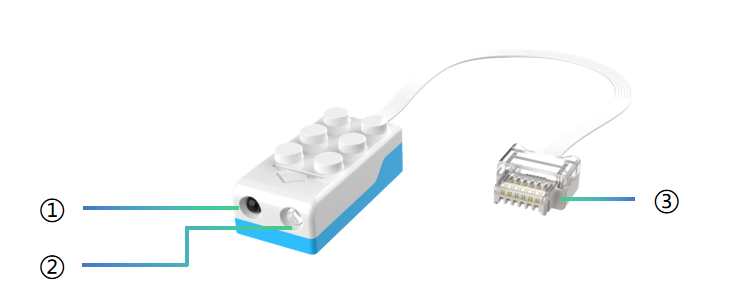
No. |
Name |
Description |
|---|---|---|
① |
Phototransistor |
Converts optical signals into electrical signals, enabling signal detection and amplification. |
② |
Infrared Emitter |
Converts electrical signals into infrared light signals, transmitting them to the receiver. |
③ |
Crystal Connector |
The anti-back-off design is used to connect different components such as sensors, motors, and master actuators. |
Note: The distance sensor should be used under indoor light sources, avoiding sunlight as it may affect the detection range.
Detection Range in Programming :
Sensor |
|
|
|
|---|---|---|---|
Detection Range |
Distance ≤ 20 mm |
20 mm < Distance ≤ 40 mm |
Distance > 40 mm |


*Note: Slight errors (within 10 mm) between different distance sensors are normal and do not affect usage.
Specifications
Item |
Description |
|---|---|
Name |
Distance Sensor |
Code |
B0130002 |
Dimensions |
31×16×11 mm |
Weight |
9 g |
Material |
ABS |
Communication |
Serial Communication |
Detection Mode |
Contrast Detection (detection distance) / Color Detection (black and white color) |
Detection Range |
0 mm - 120 mm |
Compatibility |
LEGO |
Usage Instructions
Mode |
Description |
|---|---|
Logic Control Mode |
A single distance sensor can control motor rotation. |
Programming Control |
Detects far/medium/close distances to control characters or motor movement. |
For detailed instructions, please refer to the function description. Click on it to learn more.