Hardware Issues
Why is the ICQbot Xiao Q Robot Battery Life Decreasing?
Possible reasons include:
Not Fully Charged: Ensure the charging indicator turns solid green, then allow trickle charging for 1 hour to fully charge.
Battery Wear: Lithium-ion batteries naturally degrade after repeated charge cycles.
Battery Damage: Causes may include prolonged low-charge states, drops exceeding 1.2m, use of high-power chargers, or operating in extreme temperatures. Contact customer service for after-sales support.
Unable to Rename ICQbot Xiao Q Robot via Bluetooth
Ensure the ICQbot Xiao Q Robot is properly connected to the tablet.
Refer to the firmware upgrade platform to update the firmware.
Tilt Sensor Only Controls Motor in One Direction
The tilt sensor may need calibration:
|
|
|
|---|---|---|
?Power on the Xiao Q Robot and connect the tilt sensor to any input port on the blue side. |
?Keep the tilt sensor level state. Hold Button 1 with your left hand and press Button 2 ten times with your right hand until a short music tone plays. This indicates calibration is successful. |
③After calibration, connect the motor and tilt sensor symmetrically for logical control. Normal use effect is: Larger tilt angles increase motor speed; smaller angles decrease it. The motor stops when the sensor is level. |


Note: After calibration, the Bluetooth names are reset and must be renamed.
Interference When Using Voice Recognition Module
The sensor picks up all ambient sounds. Avoid using it in noisy environments. Refer to the voice recognition sensor documentation for details.
Motor Won’t Start After Connecting to Xiao Q Robot
Issue 1: Damaged Motor Cable:
Test with a functioning motor in the same port. If the motor works, replace the faulty motor. Contact customer service if needed.
Issue 2: Controller Port Issue:
If the replacement motor also doesn’t work, clean the Xiao Q Robot port with precision electronic cleaner. Retest with a working motor. Contact customer service if unresolved.
Motor Hums but Doesn’t Spin
Issue 1: Structural Interference:
Inspect for obstructions in the mechanism.
Issue 2: Low Power Setting:
Increase the power setting in programming.
Distance Sensor Not Controlling Motor in Logic Mode
Infrared Radiation Interference: Distance sensors are sensitive to infrared radiation. Avoid environments with strong ambient light.
Check that the distance sensor is recognized correctly.
Distance Sensor Not Controlling Motor in Line-following Mode
Infrared Radiation Affects Sensor Recognition:
The distance sensor uses highly sensitive electronic components. Its black epoxy resin is particularly sensitive to infrared radiation. Therefore, avoid using the sensor in environments with strong ambient light indoors.Assembly Position of the Distance Sensor May Affect Recognition:
The distance sensor should be installed as vertically as possible to the ground and positioned very close to the surface of the field.Material of the Field May Affect Recognition:
The distance sensor primarily utilizes various properties of light to detect objects and changes in surface conditions. During use, ensure the field surface is relatively rough (e.g., black electrical insulation tape). Avoid using smooth surfaces (e.g., glossy printed photo paper).Check for Structural Issues in the Project:
Structural design problems in the project may lead to mechanical transmission not functioning properly.
ICQbot Xiao Q Robot Randomly Powers On/Off
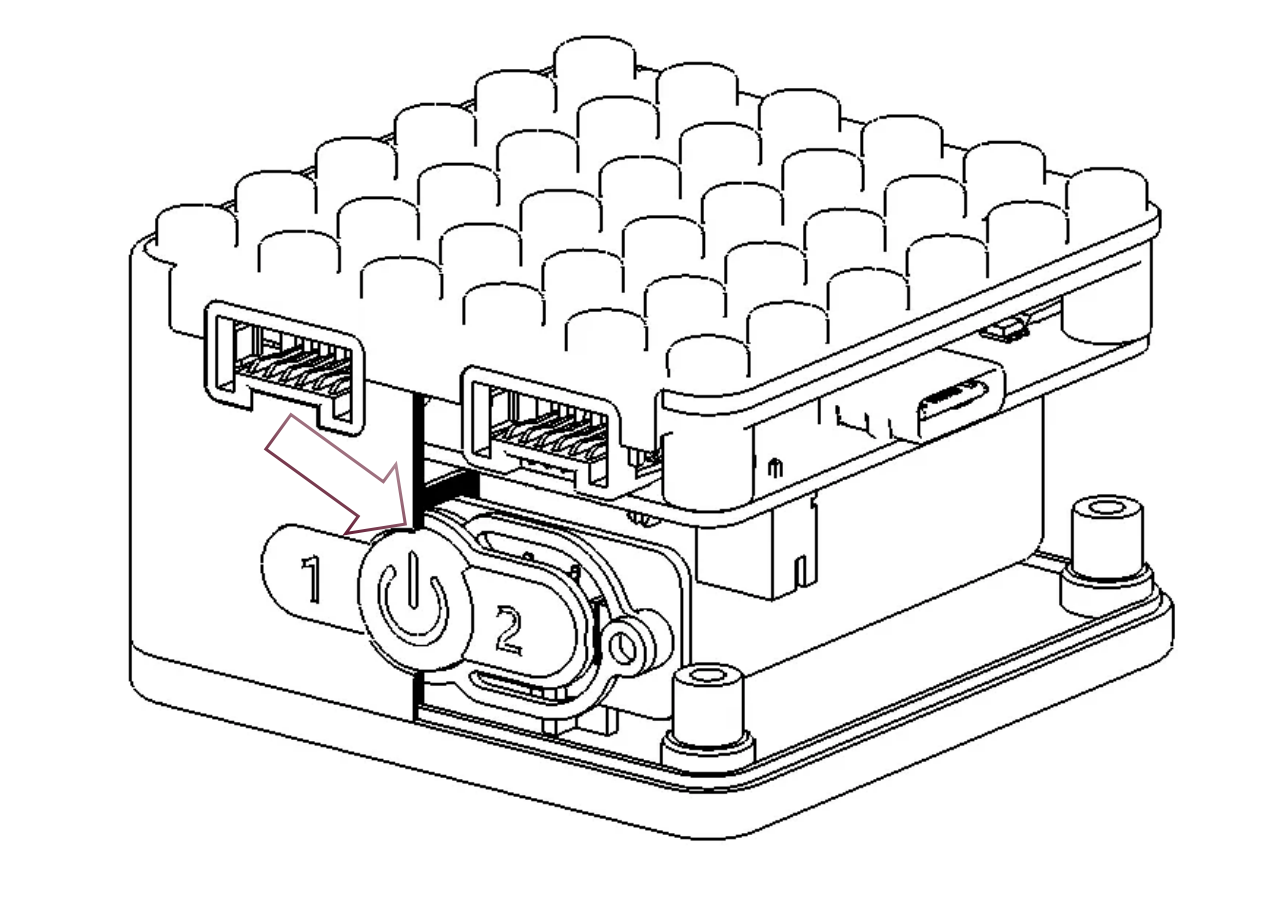
1. **The button is stuck in the stain**: Clean buttons with alcohol or electronic cleaner to prevent malfunction due to dirt buildup.